PrismaX Colour Graphic Keypad
Overview
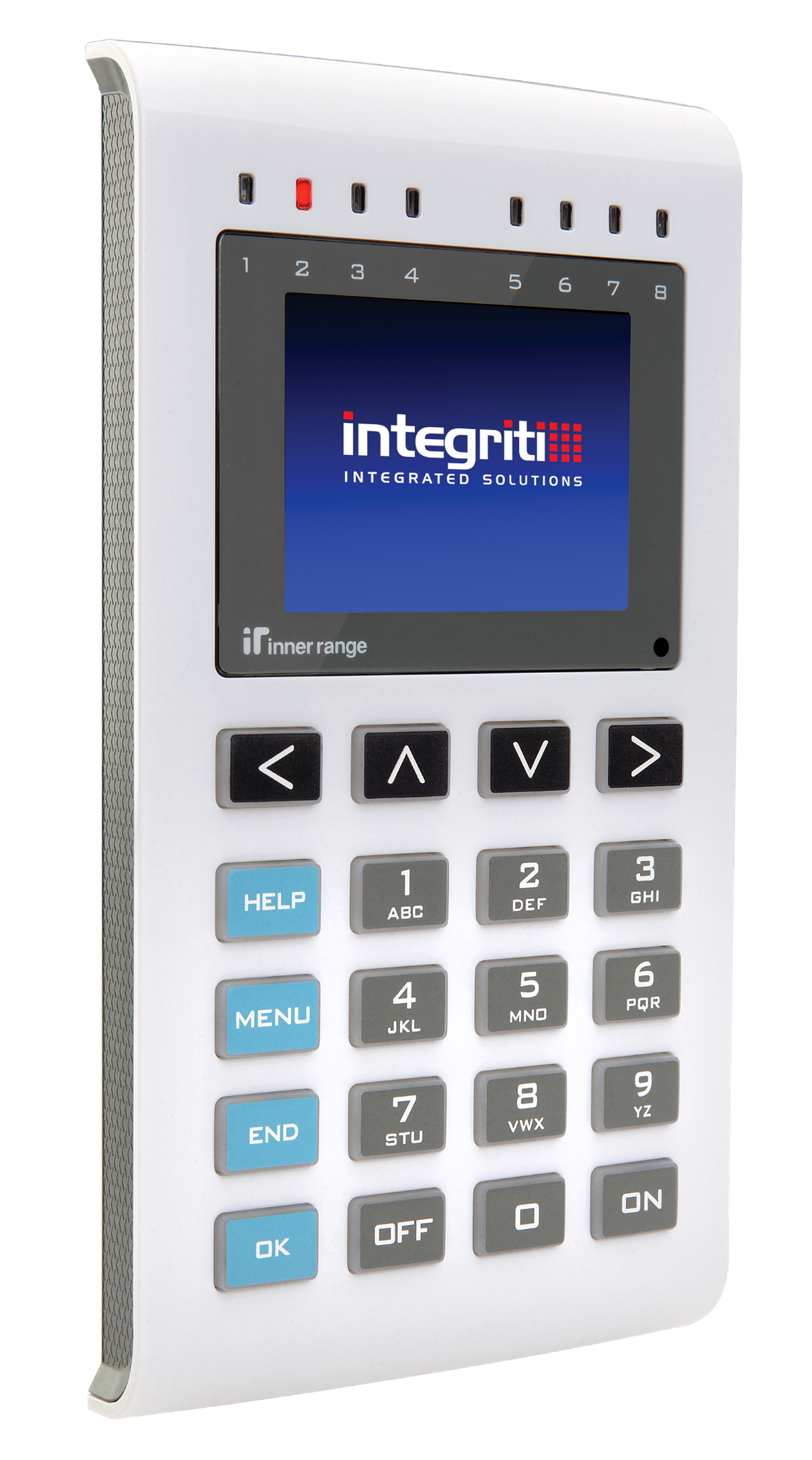
The PrismaX Graphic Terminal is a premium user interface for Integriti and Infiniti systems. It features a full-colour 320x240 LCD, 8 dual-colour status LEDs, an ergonomic backlit keypad, and a highly customizable display including support for custom logos, themes, and dynamic keypad colour schemes. Part numbers: 996400 (Standard), 996400CM. SIFER add-on kit: 996721PCB&K.
Technical Details
Capacity and Integration
- Access Control: Supports “PIN Only”, “PIN or Card”, and “Card & PIN” modes for user authentication.
- Hardware Association: ⚠️ Important: The PrismaX does not have on-board inputs or relays for door control. It must be associated with a SLAM, ILAM, or IAC module for physical door hardware control.
- Firmware Requirement: Requires Integriti/Infiniti Controller Firmware V18.1 or later when used with the SIFER add-on kit.
- Max per Controller: Up to 99 keypads on the Integriti RS485 LAN.
- Max LAN Distance: 1500m (4900ft) from the control module or LAN extender.
Physical Specifications
- Dimensions: 168mm (H) x 88mm (W) x 19mm (D).
- Enclosure Material: Polycarbonate.
- Installation Environment: 0°C to 50°C (32°F to 122°F) @ 15% to 85% relative humidity (non-condensing). For indoor use only.
Electrical Specifications
- Voltage: 11V – 14V DC.
- Operational Current (@13.7V):
- Typical Idle: 30 – 60mA (Ambient light dependent).
- Max Idle (No audio): 100mA (Max brightness).
- Peak: 270mA (300mA with SIFER).
Board Layout
Terminal Pinouts
LAN and Power (T1)
| Terminal | Label | Function | Connection Notes |
|---|---|---|---|
| T1.1 | POS | Power Input (+) | 11V-14V DC Input. |
| T1.2 | 0V | Power Input (-) | Reference Ground. |
| T1.3 | A | RS485 LAN A | Data A. |
| T1.4 | B | RS485 LAN B | Data B. |
Physical I/O Mapping
The PrismaX does not have physical outputs. Its auxiliaries are mapped as follows (requires “LED Mode” set to “Auxiliary”):
| Auxiliary | Function | LED Control |
|---|---|---|
| Gnn:X01 | Not currently used | — |
| Gnn:X02 | Not currently used | — |
| Gnn:X03 | Not currently used | — |
| Gnn:X04 | Not currently used | — |
| Gnn:X05 | Not currently used | — |
| Gnn:X06 | Not currently used | — |
| Gnn:X07 | Not currently used | — |
| Gnn:X08 | Not currently used | — |
| Gnn:X09 | LED Control | LED 1 |
| Gnn:X10 | LED Control | LED 2 |
| Gnn:X11 | LED Control | LED 3 |
| Gnn:X12 | LED Control | LED 4 |
| Gnn:X13 | LED Control | LED 5 |
| Gnn:X14 | LED Control | LED 6 |
| Gnn:X15 | LED Control | LED 7 |
| Gnn:X16 | LED Control | LED 8 |
Commissioning
Startup Configuration
- Apply power to the terminal.
- During the “Waiting for LAN Connection” screen (displayed for 30s if tamper unsealed, 2.5s if tamper sealed), press the
function key. - Set the Module Number (default is 01) and select the Colour Scheme (press
). - Press
to exit and save.
Setup Mode (Advanced Customization)
Log on with the Installer PIN, press
- Enable red flash on error / keypress flash.
- Reset all to factory defaults.
- Audio auto-off (mutes speaker when no audio present).
- Enable dimming by ambient light level.
- Use custom keypad colour.
- Use 24Hr digital clock format.
Terminal Preferences (3 screens):
- 3.1: Custom Keypad Colour (hue), Saturation, Min/Max Brightness levels.
- 3.2: Speaker Volume, LCD Min Brightness, LED Min/Max levels.
- 3.3: Dynamic Keypad Colour Mode — None / Rainbow (fast) / Rainbow (slow) / Flame / Water / Random.
Resource Configuration: The PrismaX supports alternative Logo, Text String, and Font resource files for language localization and custom branding (additional cost). Refer to “Integriti_Application_Note-PrismaX_Custom_Logo.pdf” for details.