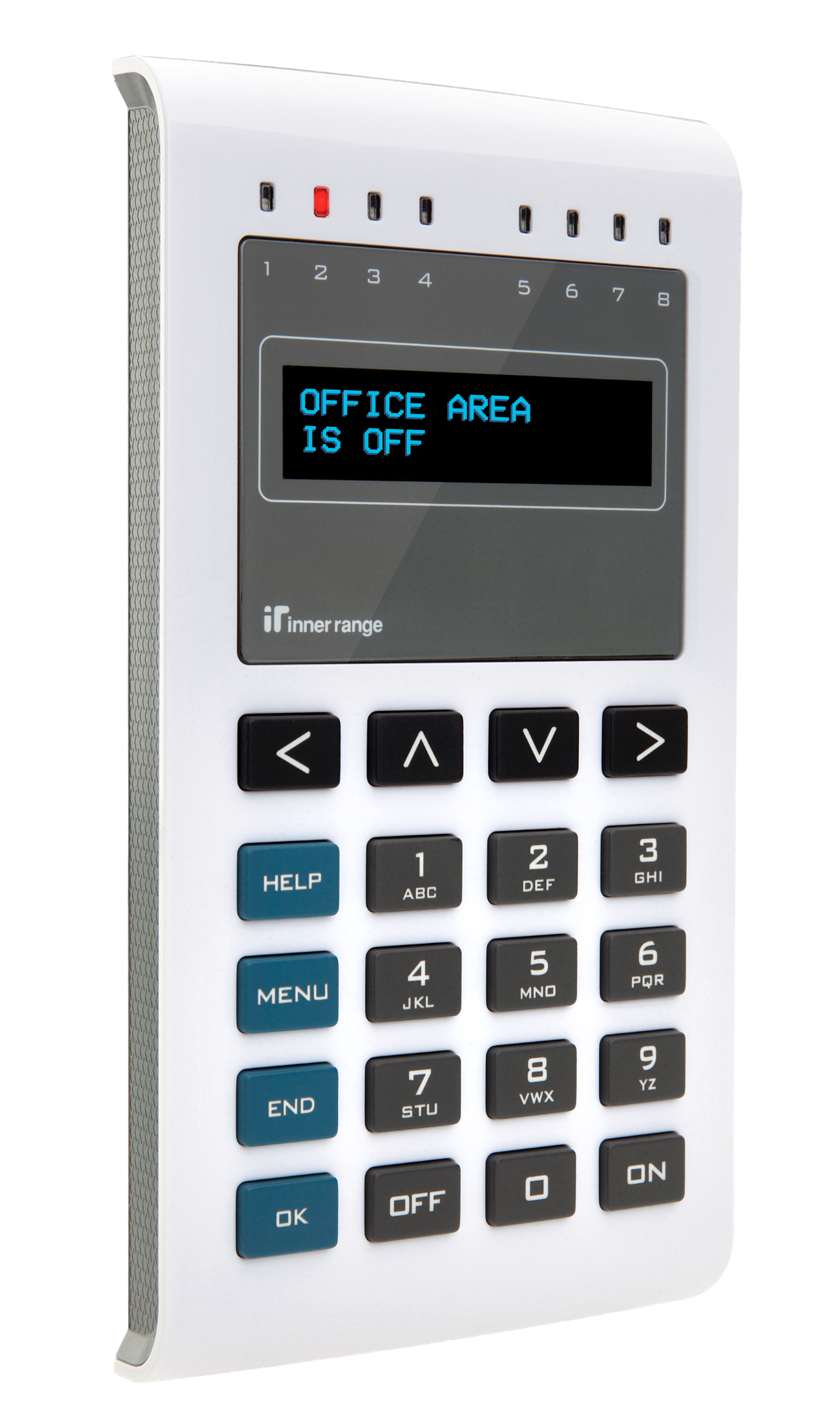
The EliteX OLED Terminal is a high-fidelity user interface compatible with Integriti, Infiniti, Inception, and Concept 3000/4000 platforms. It features 8 configurable status LEDs, an ergonomic backlit keypad, a clear 2-line OLED display, and a built-in optical tamper sensor. Part numbers: 995400 (Standard), 995400CM, 995400SI (SIFER variant).
Technical Details
Capacity and Integration
Platform Identification:
Integriti/Infiniti/Concept: Shares module numbering with standard LCD Terminals (Tnn).
Inception: Identified as a unique “EliteX Terminal” type (unless in “Elite Mode”).
Max per Controller: Up to 99 keypads on the RS485 LAN (shared with LCD Terminals).
Max LAN Distance: 1500m (4900ft) from the control module or LAN extender.
Physical Specifications
Dimensions: 168mm (H) x 88mm (W) x 19mm (D).
Enclosure Material: Polycarbonate.
Installation Environment: 0°C to 50°C (32°F to 120°F) @ 15% to 85% relative humidity (non-condensing). For indoor use only.
Compliance: RCM, CE (Electrical); ROHS, WEEE (Environmental).
Electrical Specifications
Voltage: 11V – 14V DC.
Operational Current (@13.7V):
Minimum: 14.4mA (Backlight & LEDs OFF).
Typical Idle: 17mA (Display dimmed).
Max Brightness (no beeper): 42mA.
Max (with Beeper): 49mA.
With SIFER Reader kit:
Minimum: 46mA (Backlight & LEDs OFF).
Typical Idle (SIFER only): 48mA.
Typical Idle (Multi-format): 71mA.
Peak (Card Read): 186mA.
Auxiliary Outputs (AX1–AX4):
Max Current per Aux: 500mA.
Max Total All Auxiliaries: 500mA (PTC self-resetting protection; all auxes shut off if tripped).
Max Voltage: 18V DC.
LAN Termination: No on-board termination link. For Concept 3000/4000 systems requiring termination, fit a 470 Ohm, 1/4W resistor between A and B terminals.
Controller Firmware Compatibility
Platform
Elite Terminal Mode
Full Feature Support (Recommended)
Inception
Any Version
V1.3.5 or later
Integriti/Infiniti
Any Version
V17 or later
Concept 3k/4k
Any Version
Not supported (features 1-4 unavailable)
Board Layout
Terminal Pinouts
LAN and Power (T1)
Terminal
Label
Function
Connection Notes
T1.1
POS
Power Input (+)
11V-14V DC Input.
T1.2
0V
Power Input (-)
Reference Ground.
T1.3
A
RS485 LAN A
Data A.
T1.4
B
RS485 LAN B
Data B.
Auxiliary I/O (T2)
Terminal
Label
Function
Connection Notes
T2.1
AX1
Open Collector 1
Output for local relay/LED.
T2.2
AX2
Open Collector 2
Output for local relay/LED.
T2.3
IO1 / Z1
Universal I/O 1
Output or Zone Input (2k2 EOL).
T2.4
IO2 / Z2
Universal I/O 2
Output or Zone Input (2k2 EOL).
T2.5
0V
Common (-)
Reference Ground.
Physical I/O Mapping
The EliteX features 2 dedicated outputs and 2 universal I/Os. For Integriti systems, the default mapping is:
Auxiliary
Default Function
Aux Array Option (LED Mode)
Tnn:X01
AX1 Open Collector Output
LED 1 and AX1
Tnn:X02
AX2 Open Collector Output
LED 2 and AX2
Tnn:X03
AX3 Output or Zone 1 Input
LED 3 and AX3
Tnn:X04
AX4 Output, Zone 2 Input, or Pulsing Beeper
LED 4 and AX4
Tnn:X05
Internal Beeper (Continuous)
LED 5
Tnn:X06
LED 1 Control
LED 6
Tnn:X07
LED 2 Control
LED 7
Tnn:X08
LED 3 Control
LED 8
Commissioning and Configuration
Configuration Mode
To enter hardware configuration mode (to set Terminal Number, Brightness, and other hardware options):
Remove power from the terminal.
Press and hold the key.
Re-apply power and release the key once the menu appears.
Use and < key to navigate. Press to exit and save.
Configuration Options
Step
Option
Description
1
Terminal Number
Set module number (default: 1).
2
Beeper Volume
0 to 50 (default: 30).
3
Min Keypad & OLED Brightness
Idle brightness, 0 (off) to 20 (default: 10).
4
Max Keypad & OLED Brightness
Active brightness, 0 (off) to 50 (default: 40).
5
Max LED Brightness
0 (off) to 50 (default: 30).
6
LED 4 Control
Enable control of LED 4 via Tnn:X02 (default: disabled).
7
Pulsing Beeper
Enable pulsing beeper control via Tnn:X04. Do NOT wire Zone 2/Aux 4 if enabled (default: disabled).
8
Elite Terminal Mode
Forces EliteX to behave like an Elite Terminal (disables features 1-4: firmware updates, version reporting, SIFER, zone EOL/non-EOL). Required for older firmware or when replacing an Elite Terminal.